


MyCareLink Heart™
3.61.24K Reviews
App Specs
- Version
- 4.3.2
- Updated On
- License
- Free
- Downloads
- 100,000+
- Developer
- Medtronic, Inc.
- Categories
- Medical
- Platform
- Android
Screenshots

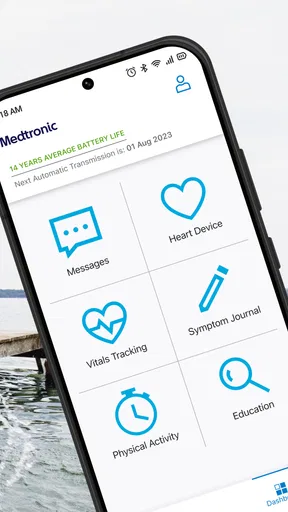
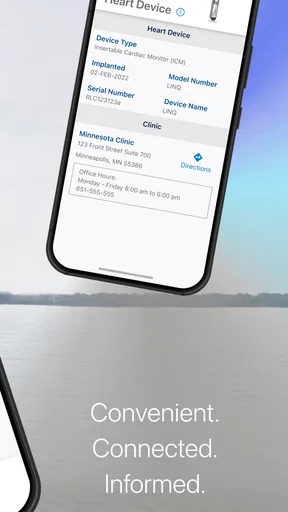
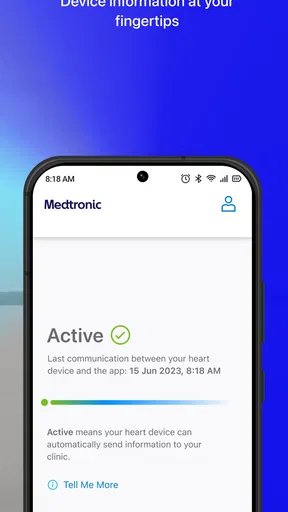
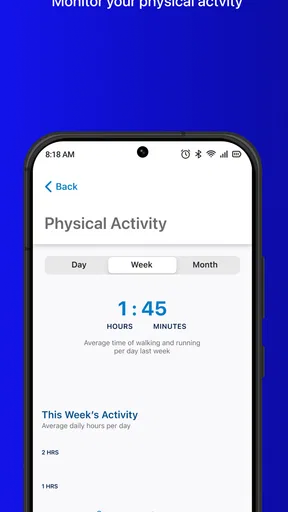
 Analysis by AppCompare
I find MyCareLink Heart™ easiest to understand when I think of it as a communication route between a compatible Medtronic heart device and a clinic, rather than as a general health tracker. That distinction matters: its value is less about giving me another dashboard to check and more about helping device information reach the people who manage my care. For someone who already relies on a Medtronic device and has a clinic using this kind of remote follow-up, that can make routine monitoring feel less dependent on remembering to arrange every check in person.
A focused role, not an all-purpose heart app
There are plenty of health apps built around logging symptoms, exercise, or daily measurements. This one has a narrower purpose. Its central task is to send heart-device information to a clinic, so I would not choose it as a substitute for a blood-pressure log, a fitness tracker, or a place to record every health concern. It makes most sense when a care team has asked a patient to use it as part of managing a compatible Medtronic device.
That focus is both a strength and a boundary. A person who wants to follow general wellness trends may find little reason to open it, while someone whose clinic needs device information may value having that process gathered into a dedicated app. I would check with the clinic before relying on it: the app is most useful when the care team is prepared to receive and use the information it sends.
What remote monitoring changes in a normal week
The practical benefit is not that I can diagnose myself from a phone screen. It is that routine device follow-up can happen without making every check revolve around a clinic visit. That can be helpful for someone who lives far from their care team, has difficulty arranging transport, or simply wants routine monitoring to fit more smoothly around work and family responsibilities. It does not remove the need for appointments or medical advice; it changes how some device information can be shared between them.
A realistic example is a patient who has a busy week and would otherwise need to plan a trip just to support routine device follow-up. With a clinic that uses this monitoring route, the phone becomes part of the process of getting device information to the care team. I would still keep scheduled visits and the clinic’s instructions on my calendar. Remote monitoring is a useful bridge, not permission to stop checking in or to wait for the app when a symptom needs prompt attention.
Setup and everyday habits matter
Before treating the app as dependable, I would make sure the phone and device are set up in the way the clinic expects and that I understand what action, if any, I am meant to take. A short conversation with the care team can prevent a common misunderstanding: installing an app is not the same thing as confirming that monitoring is active and reaching the right clinic. I would also ask whom to contact if the phone is replaced, the app stops working, or I am unsure whether a transmission has gone through.
For daily use, I would keep the app available on the phone I actually carry, pay attention to any instructions from the clinic, and avoid assuming that a quiet screen means everything is medically fine. If a relative helps with technology, it may be useful to have them present during setup, while making sure the patient remains comfortable with how the phone and care process work. A little preparation is more valuable here than repeatedly opening the app to look for reassurance it is not designed to provide.
Worth Reading Before You Choose

EA SPORTS FC Mobile 26 Is a Bigger Football Game, but It Takes Time

Flipboard Shows What News Apps Must Do Beyond the Feed

Switching to Android Auto Means Rethinking Your Driving Routine

Google Calendar Makes a Crowded Week Easier to Manage

Ludo King Makes the Most of the Minutes Between Plans

Baby Panda World Brings Quick Play to Modern Phones, but Its Game Library Feels Busy
Where it sits beside familiar alternatives
Compared with a paper reminder or a patient calling the clinic to arrange every routine check, an app-based route can reduce some of the coordination burden. Compared with a broad health platform, it is much more specialized: it is for device-related communication, not a complete picture of someone’s health. Those alternatives can still be useful. A paper calendar may be simpler for appointment reminders, and a symptom diary may help someone prepare questions for a clinician, but neither does the same job as sending device information through a clinic’s remote-monitoring process.
I would not use this app as an emergency channel or expect it to provide an instant response. If someone has urgent symptoms, they should follow their clinician’s emergency guidance rather than wait for an app-mediated review. That distinction is especially important because a monitoring tool can make people feel watched over even when it is intended for routine communication, not continuous personal supervision.
Who is likely to benefit, and who may not
The best fit is a person with a compatible Medtronic heart device whose clinic has explained how remote monitoring works and wants them to use this app. It may be particularly convenient for people who find repeated travel difficult or who appreciate having a defined digital route for routine device information. A caregiver may also help with the practical steps, as long as the clinic’s instructions remain the guide and the patient’s own needs stay central.
It is probably not the right choice for someone without a relevant Medtronic device, someone whose clinic does not use this workflow, or anyone looking for a general heart-health coach. If a person is uncomfortable using a smartphone, that does not automatically make remote monitoring impossible, but it is a reason to ask the clinic what other arrangements are available rather than struggling alone. The right monitoring option is the one the care team can support and the patient can use reliably.
Questions worth settling with the clinic
Before depending on the app, I would ask the clinic what a successful setup looks like, whether there is anything I must do after installation, and how I will know if I need to act. I would also clarify how routine monitoring fits with appointments, who to contact about technical trouble, and what to do if the phone is unavailable. These are practical questions, not reasons to avoid the app: clear answers help prevent missed expectations and make the workflow less stressful.
I would also ask how the clinic handles urgent concerns, since the app’s purpose should not be confused with immediate clinical advice. If I notice a symptom or feel unwell, I would use the care instructions I have been given, not wait for a routine device-information process to resolve it. Knowing that boundary in advance makes the app easier to use sensibly.
Seamless Connectivity
One of the first things you'll notice about MyCareLink Heart™ is how it prioritizes connectivity. The app establishes a direct link between your Medtronic pacemaker or ICD and your healthcare team. This connection is not just a convenience; it's a lifeline. With real-time data sharing, your doctors can monitor your heart's condition without needing to wait for an in-person visit. It's like having a direct hotline to your health, right in your pocket.
User-Friendly Interface
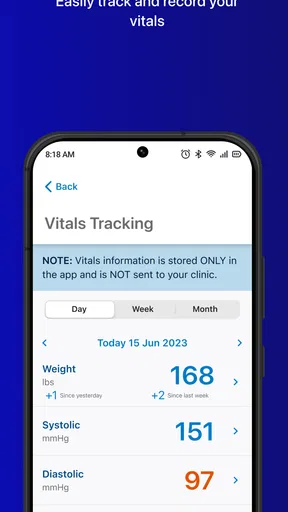
The app’s interface is intuitive, which is music to anyone's ears if you're not exactly a tech wizard. You don't want to be fumbling around when it comes to something as important as your heart health. The design is clean, with simple navigation that makes it easy to find what you need, whether it’s checking the status of your device or viewing your heart health history. Everything is organized logically, which means less stress for you.
Personalized Notifications
Another feature that I found particularly useful is the personalized notifications. The app sends you alerts for everything from upcoming device checks to reminders for taking your medication. It’s like having a personal assistant who's always looking out for your well-being. Plus, these notifications are customizable, so you can set them to fit your schedule. No more missed appointments or forgetting to take your meds.
Security and Privacy
Now, I know what you might be thinking: "Is my data safe?" With MyCareLink Heart™, Medtronic has taken security seriously. The app uses advanced encryption to ensure your personal and medical information is protected. In today’s digital age, knowing your data is secure offers peace of mind, especially when it involves something as sensitive as your health.
Support and Accessibility
One of the things that really impressed me is the level of support the app offers. There’s a comprehensive help section that covers everything from troubleshooting to FAQs. Plus, if you need more assistance, you can easily reach out to customer support. The app is available in multiple languages, increasing its accessibility worldwide. This ensures that more people can benefit from the app's features, regardless of where they are.
Room for Improvement
While the app is quite robust, there are always areas for improvement. Some users might find the initial setup a bit daunting, especially those who are not tech-savvy. A more guided onboarding process could help ease them into using the app more efficiently. Also, integrating more detailed health insights could provide users with a deeper understanding of their heart health trends over time.
Overall, MyCareLink Heart™ is an essential tool for anyone with a Medtronic heart device. It offers a perfect blend of usability, security, and functionality. By keeping you connected with your health team and providing real-time insights into your heart health, it truly empowers users to take control of their well-being. So, if you’re looking to enhance your heart health management, this app is definitely worth checking out.
Who makes it and what to expect from the app
Medtronic, Inc. develops this free medical app, which is rated for Everyone and has been available since January 25, 2019. The current version is 4.3.2, and it requires iOS 11 or later. Its average rating is 3.4 from around 2.8 thousand ratings, with around 1.2 thousand written reviews and over 100 thousand installs. I read that middling score as a reason to approach it with practical expectations: a remote-monitoring tool can be valuable when it fits a patient’s device and clinic workflow, but it is not necessarily an app everyone will find useful or effortless.
Make the workflow dependable, not just installed
A useful habit is to treat setup as a shared task with the clinic rather than a quick download. Ask the care team to confirm that the phone is suitable, the device is paired or otherwise configured as instructed, and the intended clinic is the destination. If the patient uses more than one phone, or changes phones, clarify which one should remain part of the monitoring routine. That simple check can prevent a family from assuming that an old setup continues to work after a device change.
It is also worth deciding in advance who will handle routine troubleshooting. A patient who is comfortable with the app may prefer to manage it alone; someone who finds phone settings stressful might ask a trusted family member to sit with them. Either way, keep the clinic’s contact details accessible outside the app. This is a small but meaningful backup: if the phone is unavailable or the app behaves unexpectedly, the patient still knows how to ask the care team what to do.
Use it for continuity, not constant reassurance
Remote device follow-up can be emotionally reassuring, but repeatedly checking a phone for signs that everything is fine can create a different kind of worry. I would use the app according to the clinic’s routine and instructions, then let the care team interpret the information. The patient should not feel responsible for reading device data like a clinician or deciding whether a change is medically important. The useful division of labor is straightforward: the app supports communication, while clinical judgment stays with the professionals.
This distinction can matter for family members too. A caregiver might be tempted to monitor the phone closely or treat each notification as a medical verdict. I would agree together on who helps with setup and who responds to clinic messages, while avoiding the assumption that an app replaces a conversation with the patient or care team. The technology works best when it reduces coordination friction without turning ordinary phone use into a source of alarm.
How to judge whether it suits your routine
Before committing to the workflow, consider the practical pattern of the patient’s week. Is the phone usually nearby and charged? Is the person comfortable following setup instructions? Can they reach the clinic if they are unsure what a notification means? If the answers are mostly yes, a phone-based route may be easier than organizing every routine device check around travel. If not, the clinic can help discuss a better-supported arrangement. Convenience only counts when the process is dependable for the person using it.
For someone comparing it with an ordinary calendar, the key difference is purpose: a calendar helps remember when to act, while this app is intended to support the flow of device information to the clinic. For someone comparing it with a general health tracker, the difference is scope: activity and wellness records are not a replacement for device follow-up. I would keep separate tools only when each has a clear job, rather than expecting one medical app to cover every part of heart care.
A grounded recommendation
My recommendation is conditional but positive. If you have a Medtronic heart device and your clinic asks you to use this route, the app can make routine communication more convenient and help fit monitoring into everyday life. If you are looking for broad health advice, self-diagnosis, or an emergency contact channel, it is the wrong tool. The best next step is to ask your clinic whether it supports your device and to walk through setup and follow-up expectations with them. That way, you can judge it by the job it is meant to do rather than by features it was never designed to provide.
Pros
- User-friendly interface for easy navigation.
- Real-time data monitoring for better insights.
- Secure data transmission ensures privacy.
- Compatible with multiple device models.
- Customizable alerts for personalized care.
Cons
- Requires constant internet connection.
- Limited functionality without paired device.
- Battery drain can be significant over time.
- Initial setup may be confusing for some users.
- Support available only in select languages.
FAQs for MyCareLink Heart™
What is MyCareLink Heart™ and how does it work?
MyCareLink Heart™ is a mobile app designed for patients with Medtronic heart devices. It allows users to send device data to their healthcare providers remotely. By connecting via Bluetooth, the app provides a convenient way to monitor heart health without frequent doctor visits, ensuring timely interventions if needed.
Is MyCareLink Heart™ compatible with all smartphones?
MyCareLink Heart™ is compatible with most Android and iOS devices. However, it’s essential to ensure your device meets the minimum operating system requirements. For Android, it usually requires version 6.0 or higher, and for iOS, version 10 or above. Always check the app store for specific compatibility details.
How secure is my data with MyCareLink Heart™?
The MyCareLink Heart™ app prioritizes user data security by employing advanced encryption methods. All sensitive information transmitted between the app and Medtronic servers is encrypted. Additionally, the app adheres to strict privacy regulations to ensure user data is kept confidential and used solely for healthcare purposes.
Can I use MyCareLink Heart™ without an internet connection?
While the app can store data temporarily without an internet connection, it requires Wi-Fi or mobile data to send information to your healthcare provider. For optimal functionality, ensure a stable internet connection to facilitate timely data transmission and updates from your care team.
What should I do if I encounter issues with the app?
If you experience any issues with MyCareLink Heart™, first ensure your device is compatible and updated to the latest software version. You can also refer to the app’s help section for troubleshooting tips. If problems persist, contact Medtronic’s customer support for personalized assistance and guidance.


